Gym workout tracker for iPhone: Every set.On record.

Lift plans your week, logs every set in a tap and turns your numbers into progress you can see. With 1,300+ exercises, 30 programs and an Apple Watch app.

Free to download · iPhone and Apple Watch

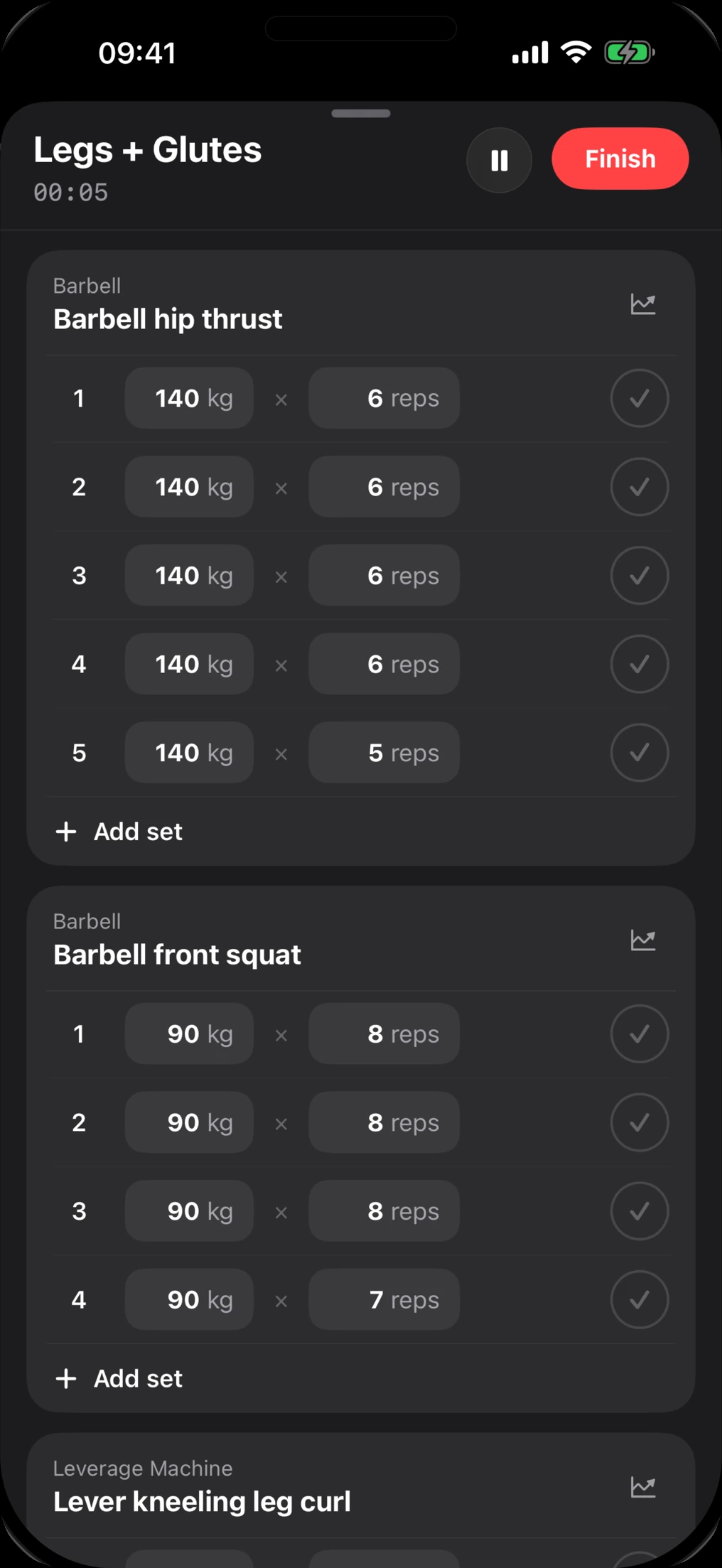
Logging a Legs + Glutes workout in Lift: five sets of barbell hip thrusts at 140 kg, each completed with one tap
  • 1,300+ exercises

    Animated demos and step-by-step instructions

  • 30 programs

    From 5×5 and PPL to PHUL and 5/3/1

  • Apple Watch

    Run the whole session from your wrist

  • Live Activity

    Rest countdown right on your Lock Screen

How Lift works

Everything between youand your next PR.

  1. 01Plan

    A week planned around you.

    Tell Lift your goal, experience, equipment and how many days you can train. It lays out a weekly plan you can start today and edit whenever you like.

    • Goal, experience, equipment, schedule
    • Every day laid out, sets and reps included
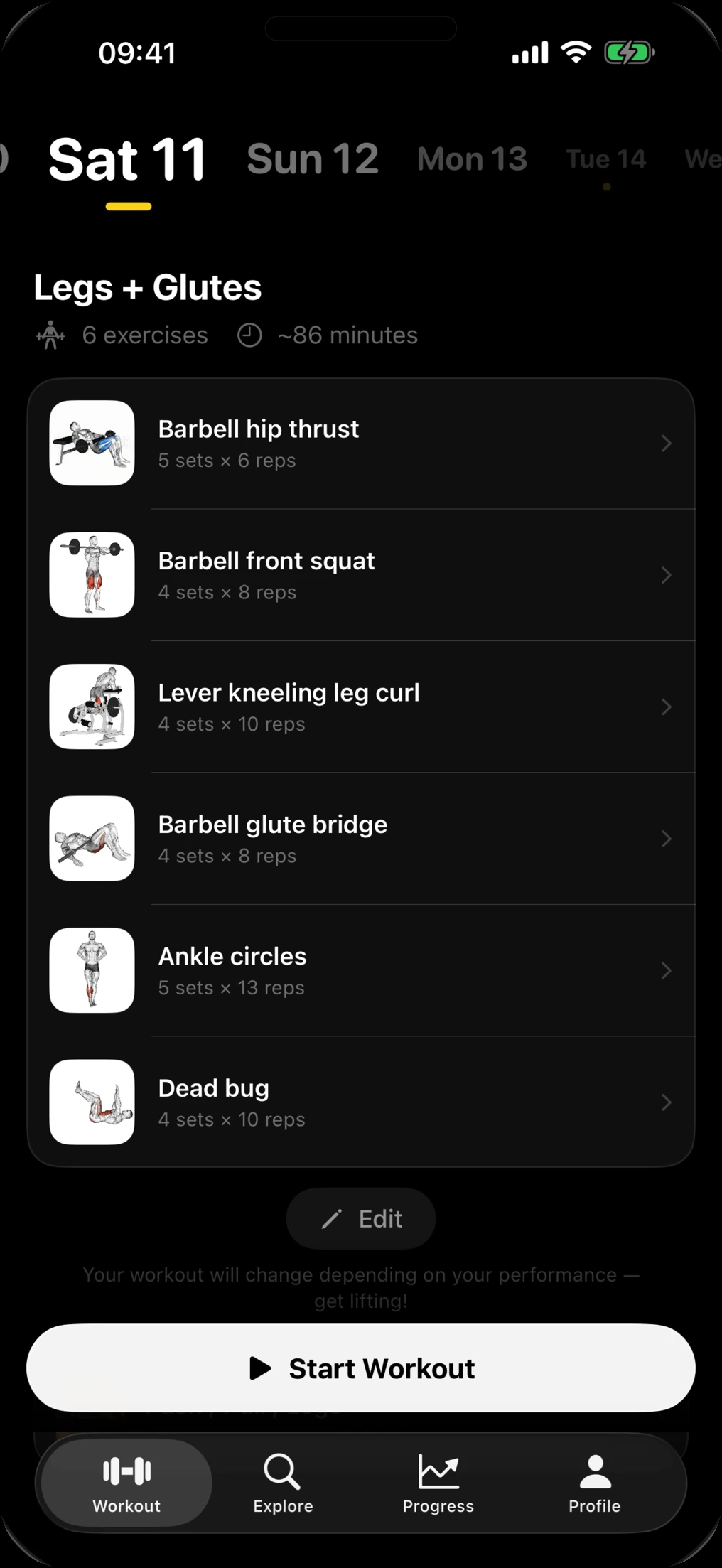
    Lift's Workout tab showing Saturday's Legs + Glutes session: six exercises, about 86 minutes, with a Start Workout button
  2. 02Log

    Log a set in one tap.

    Weight and reps carry over from your last session, so most sets take a single tap to complete. A rest timer runs between sets, and you rate the session’s effort when you finish.

    • Pre-filled from last time
    • Rest timer and session RPE
    An active Legs + Glutes session in Lift: barbell hip thrust sets of 140 kg for 6 reps, each with a check button
  3. 03Exercises

    1,300+ exercises, shown properly.

    Every exercise comes with an animated demo, step-by-step instructions and the muscles it works. Filter by muscle or equipment to find the right one in seconds.

    • Animated demos
    • Filter by muscle and equipment
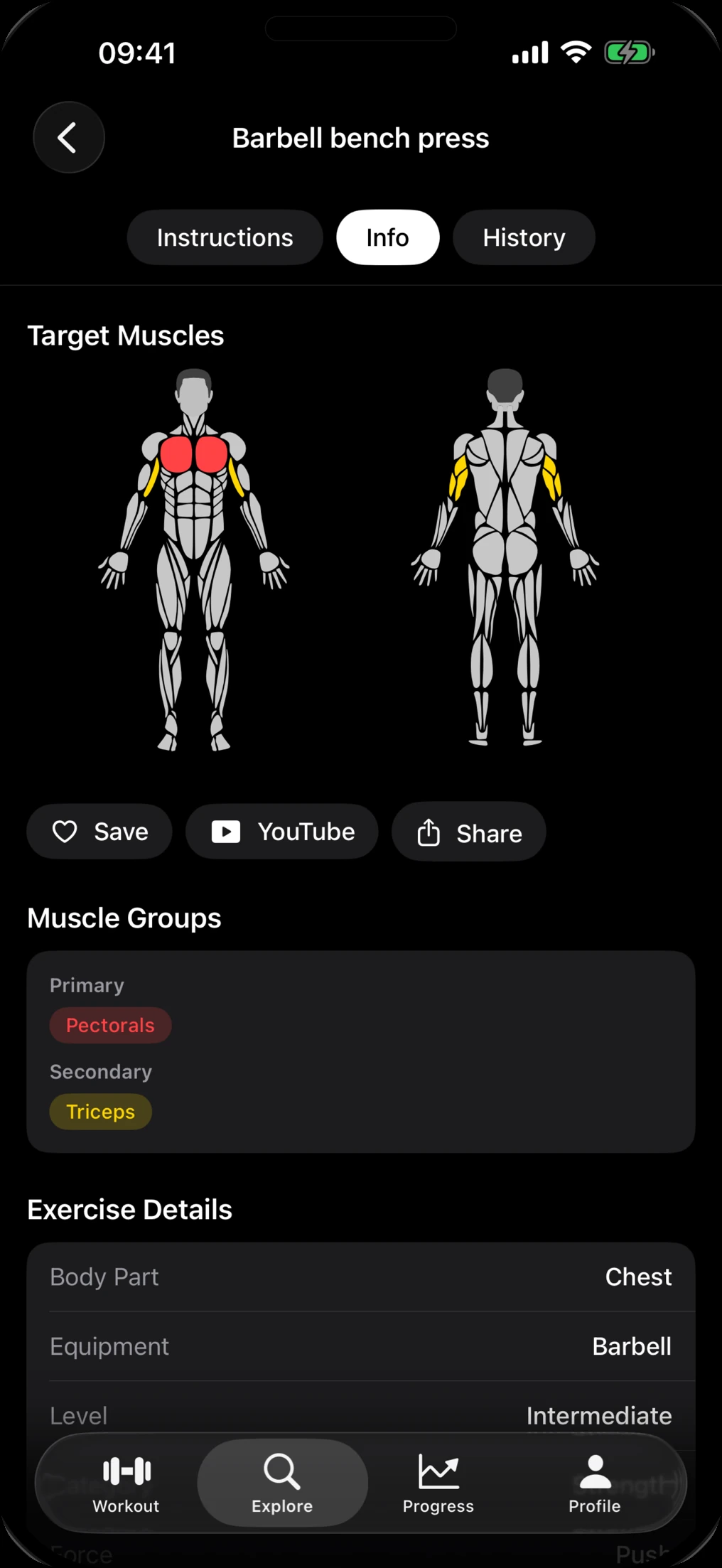
    Exercise detail for the barbell bench press in Lift, highlighting chest as the primary and triceps as the secondary muscle
  4. 04Programs

    Proven programs, ready to run.

    Thirty ready-made programs, from Full Body Foundation to Wendler 5/3/1 Boring But Big. Start one as it is, or build your own.

    • Beginner to advanced
    • Gym, home or on the road
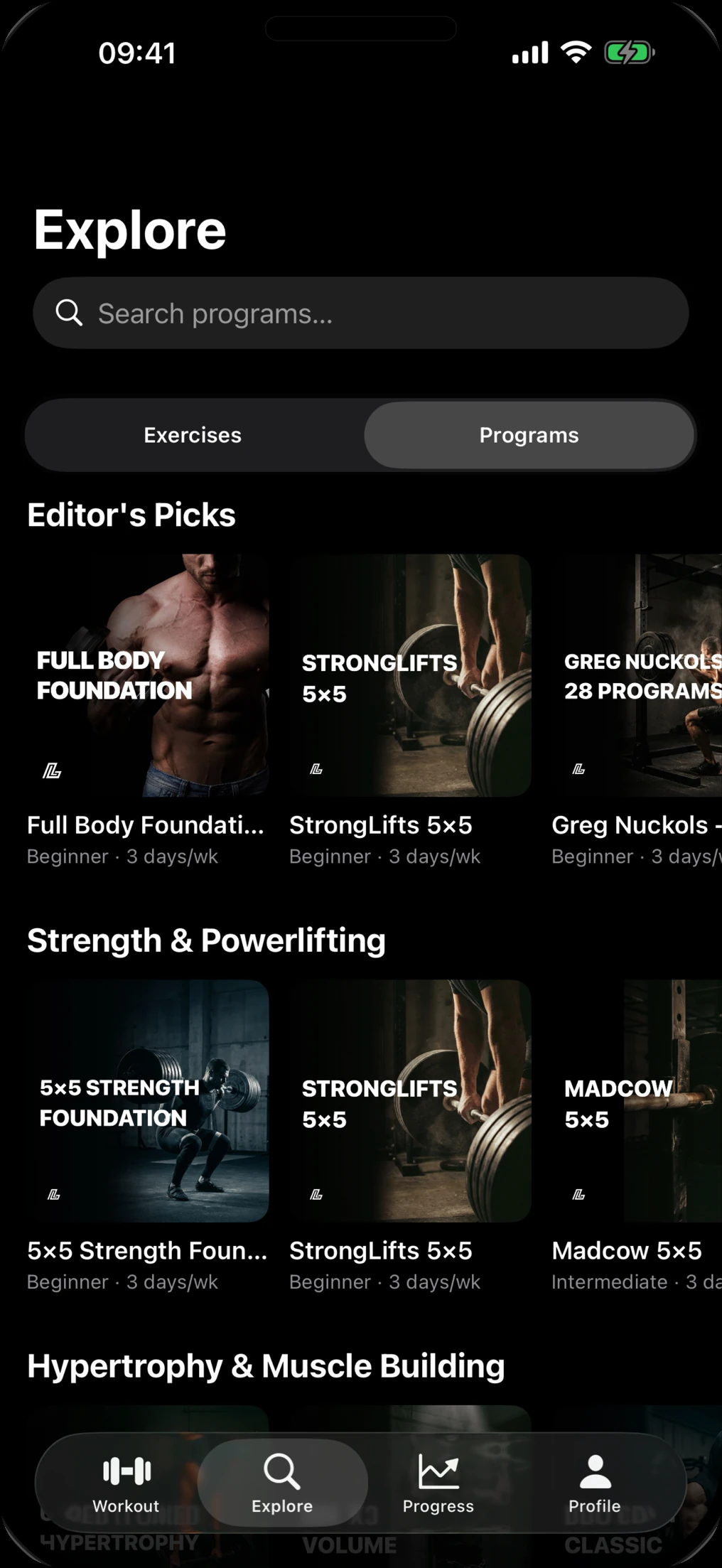
    Lift's Explore tab with Editor's Picks and Strength & Powerlifting programs such as StrongLifts 5×5 and Madcow 5×5
  5. 05Progress

    Watch the numbers climb.

    Max-weight charts and personal bests for every exercise, total volume for every session, plus your history and streaks. Premium adds a muscle heatmap and muscle balance.

    • Personal bests per exercise
    • Volume, history and streaks
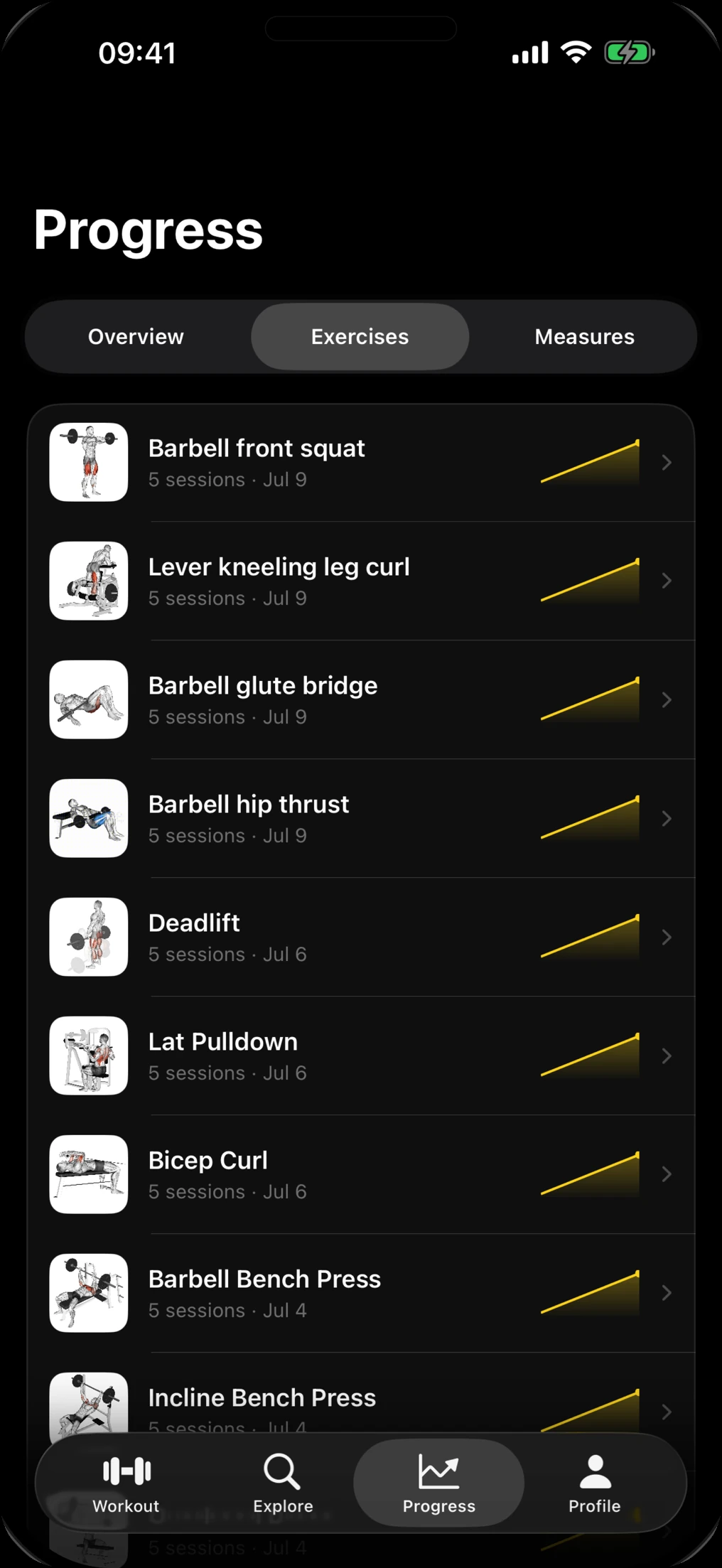
    Lift's Progress tab listing exercises like barbell front squat and deadlift, each with a rising strength sparkline
  6. 06Body

    See what the scale misses.

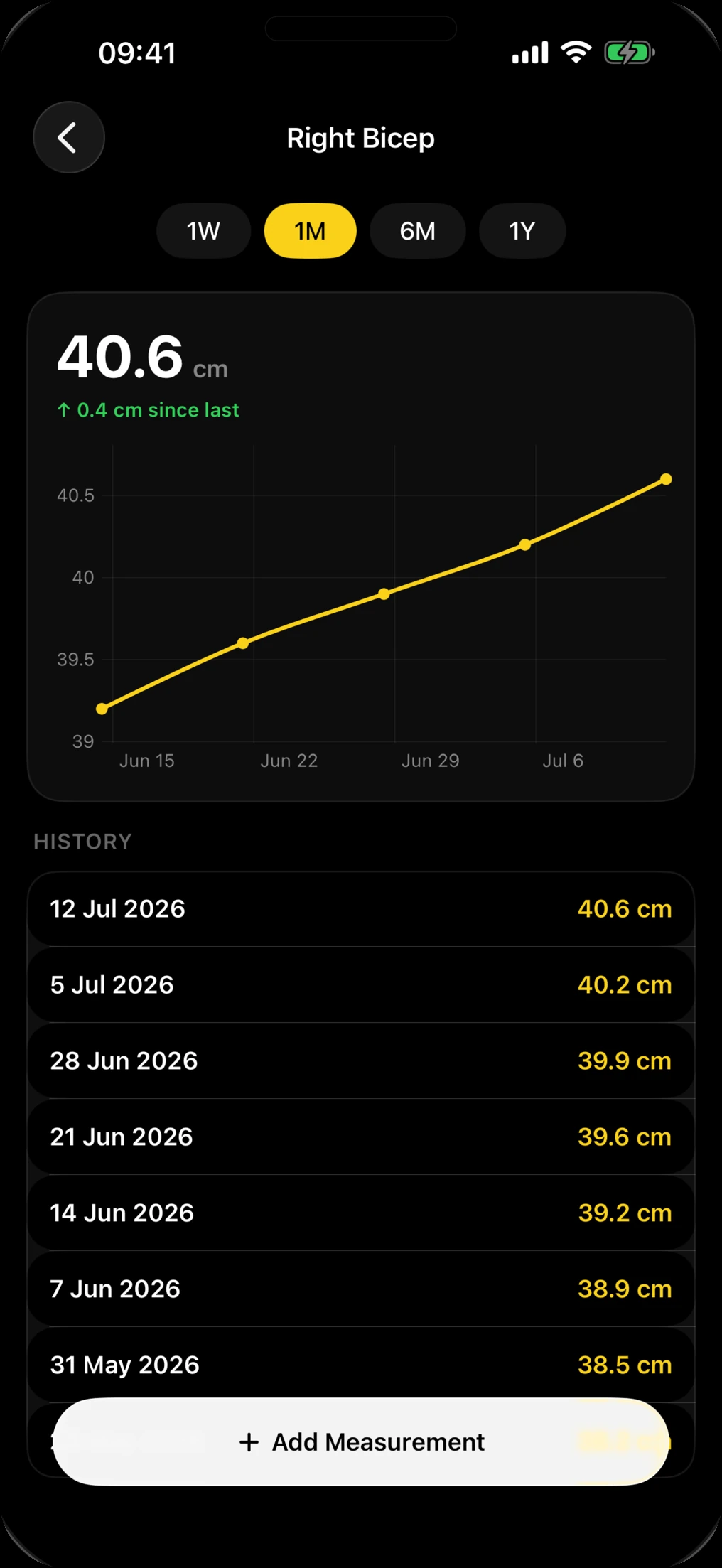
    Track body weight and body fat, up to 15 body measurements from waist to biceps, custom metrics and progress photos.

    • Weight and body fat
    • Measurements and photos
    A Right Bicep measurement chart in Lift rising to 40.6 cm over one month, with a dated history list

Programs

Thirty programs.Pick one and start lifting.

Strength

  • 5×5 Strength Foundation
  • StrongLifts 5×5
  • Madcow 5×5
  • Wendler 5/3/1 Boring But Big
  • GZCLP
  • Greg Nuckols novice program

Muscle

  • Push/Pull/Legs
  • Upper/Lower Hypertrophy
  • PHUL
  • PHAT
  • Arnold Split
  • Bro Split
  • German Volume Training

Anywhere

  • Full Body Foundation
  • 30-Minute Express Full Body
  • Calisthenics
  • Kettlebell Total Body
  • Home Dumbbell Split
  • Resistance Band Travel

For you

  • Lower-body and glute programs
  • 50+ Healthy Strength

A selection of the 30 programs in Lift. Program names belong to their respective authors; Lift is not affiliated with or endorsed by them.

Apple Watch

Train fromyour wrist.

Leave your phone in the bag. Lift on Apple Watch runs the whole workout, reads your heart rate through HealthKit and keeps every set in sync with your iPhone.

On your wrist
Start the session, work through your sets and finish on the watch.
Heart rate
Live heart rate from HealthKit while you train.
Always in sync
Sessions logged on the watch show up on your iPhone.
Lock Screen
A Live Activity shows your workout and rest countdown.

Free & Premium

Free to start.Premium when you want more.

Log workouts, browse every exercise and track your progress for free. Premium unlocks the plan generator, every program and the deeper progress and body tools.

Monthly or yearly. The yearly plan starts with a 7-day free trial. Cancel anytime in your Apple account settings.

What's included in Lift for free and with Lift Premium
FeatureFreePremium
Workout logging, sets, reps and weightIncludedIncluded
1,300+ exercises with animated demosIncludedIncluded
Ready-made programsA fewAll 30
Personal plan generatorNot includedIncluded
Custom programsLimitedUnlimited
Exercise charts and personal bests1W · 1MUp to 1Y
Workout historyRecentFull
Muscle heatmap and balanceNot includedIncluded
Body weight and body fatIncludedIncluded
15 body measurements and custom metricsNot includedIncluded
Progress photos5Unlimited

FAQ

Questions,answered.

Is Lift free?

Yes. Lift is free to download, and logging workouts, the exercise library and core progress tracking are free. Lift Premium is available monthly or yearly, and the yearly plan starts with a 7-day free trial. It unlocks the personal plan generator, all 30 programs, unlimited custom programs and the full progress and body tools.

How does Lift build my plan?

When you set up Lift you tell it your goal, experience level, the equipment you have and how many days a week you can train. Lift uses those answers to lay out a weekly plan from its exercise library, and you can edit any day. Generating a plan is part of Lift Premium.

Does Lift work with Apple Watch?

Yes. Lift has an Apple Watch app, so you can run your workout from your wrist. It reads your heart rate through HealthKit and syncs the session with your iPhone. On iPhone, a Live Activity shows the current workout and rest countdown on your Lock Screen.

Which programs are included?

Lift includes 30 ready-made programs, including Full Body Foundation, Push/Pull/Legs, Upper/Lower Hypertrophy, StrongLifts 5×5, Madcow 5×5, Wendler 5/3/1 Boring But Big, PHUL, PHAT, GZCLP, German Volume Training, calisthenics, kettlebell and home dumbbell programs. A few are free; Premium unlocks all of them.

Can I track body measurements and progress photos?

Yes. Body weight, body fat and up to 5 progress photos are free. Premium adds 15 body measurements such as waist, chest, biceps and thighs, custom metrics and unlimited photos.

Is Lift available on iPad or Android?

Lift is made for iPhone and Apple Watch and requires iOS 26 or later. There is no iPad or Android version at the moment.

How do I cancel Premium or delete my account?

Subscriptions are managed by Apple: open the Settings app, tap your name, then Subscriptions. To delete your account, open Profile in Lift and tap Delete Account. The Support page has step-by-step help.

Make every set count.Start free today.

Free on the App Store for iPhone and Apple Watch.

Or build your plan on the web